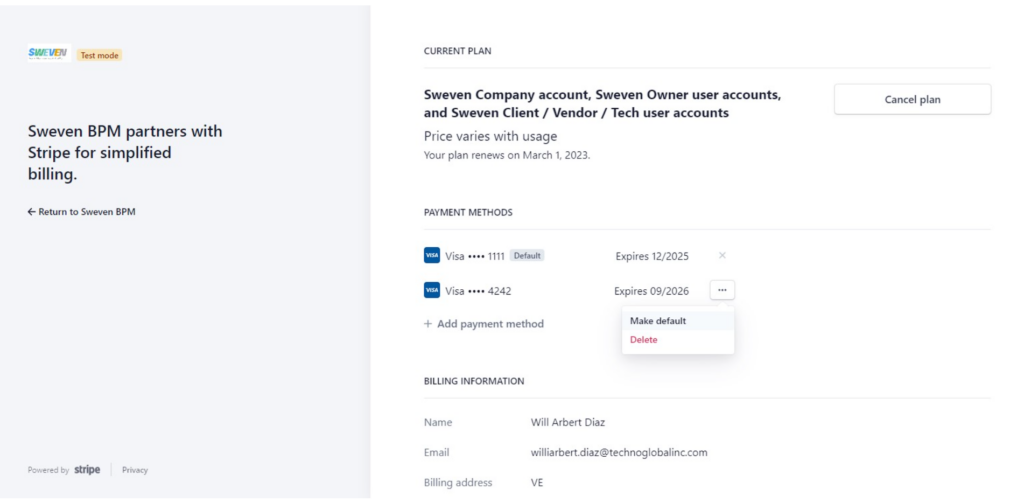
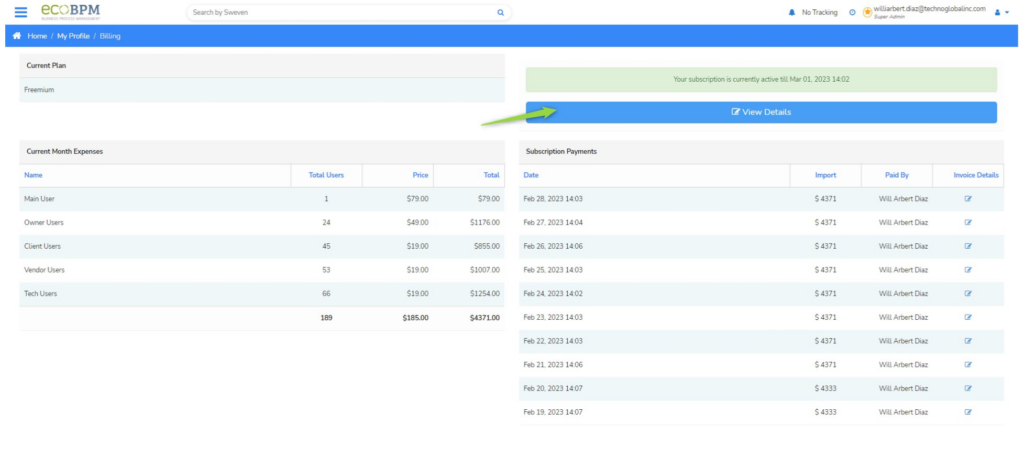
You can add, change or delete your payment method from Sweven by going to the «My Account» module in the top side menu of the application.
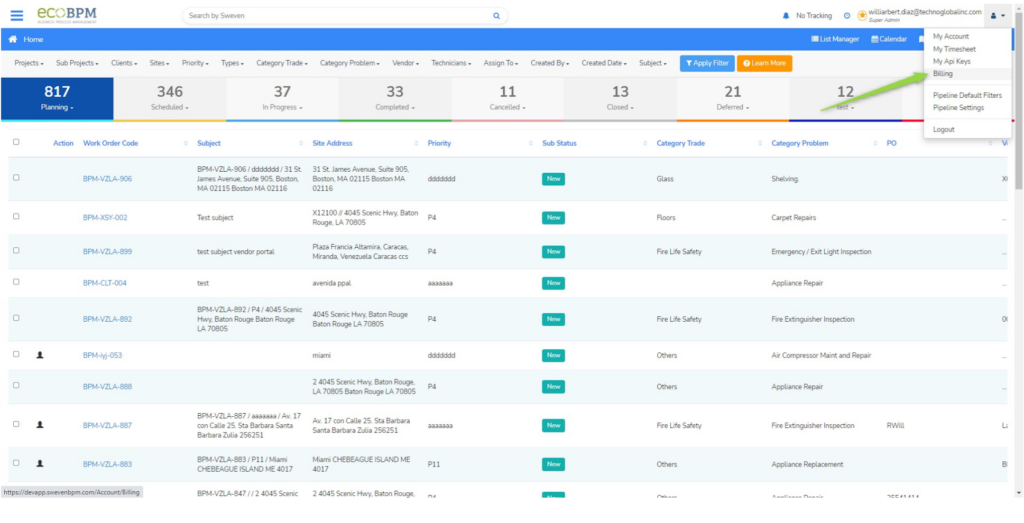
Now, select the «View Details» button.
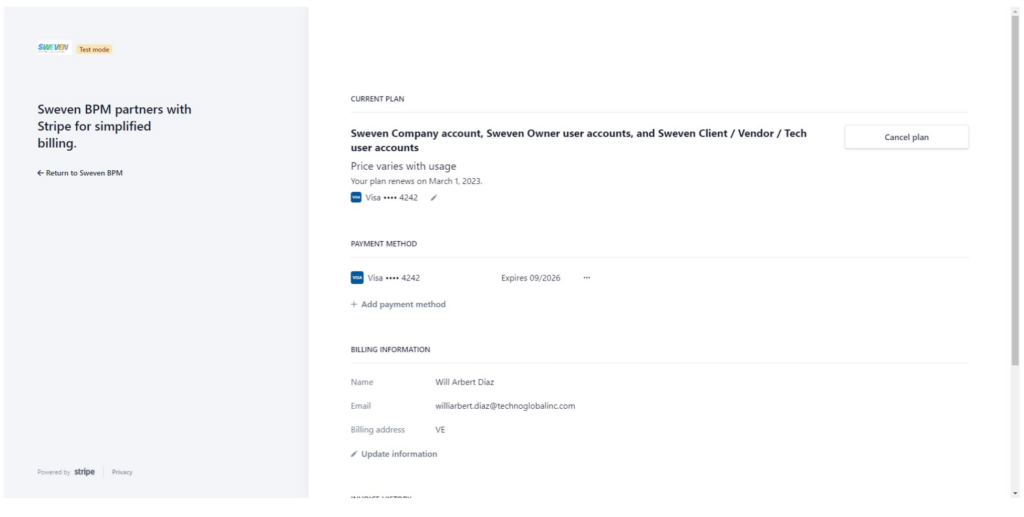
On this Window, you will be able to manage your payment method or cancel your plan.
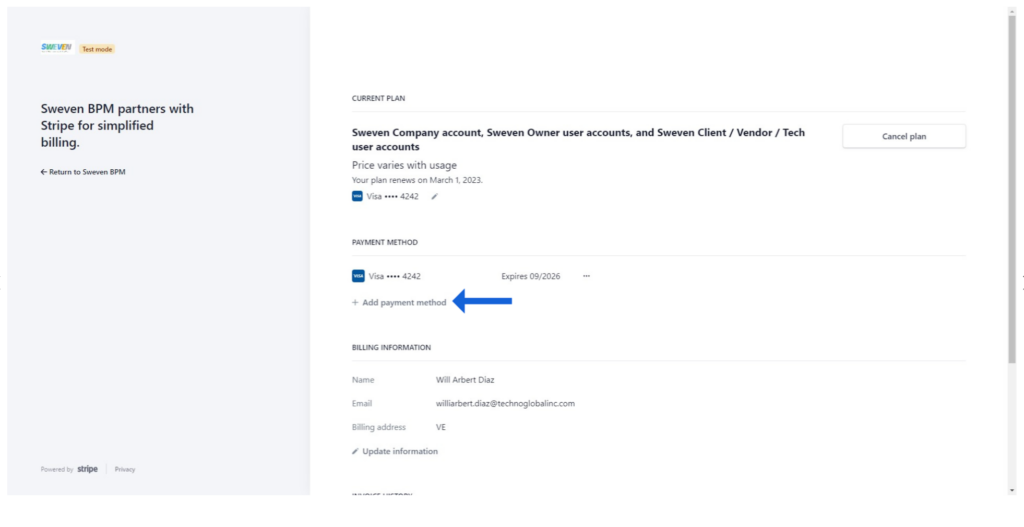
To add a new payment method, select «Add payment method»
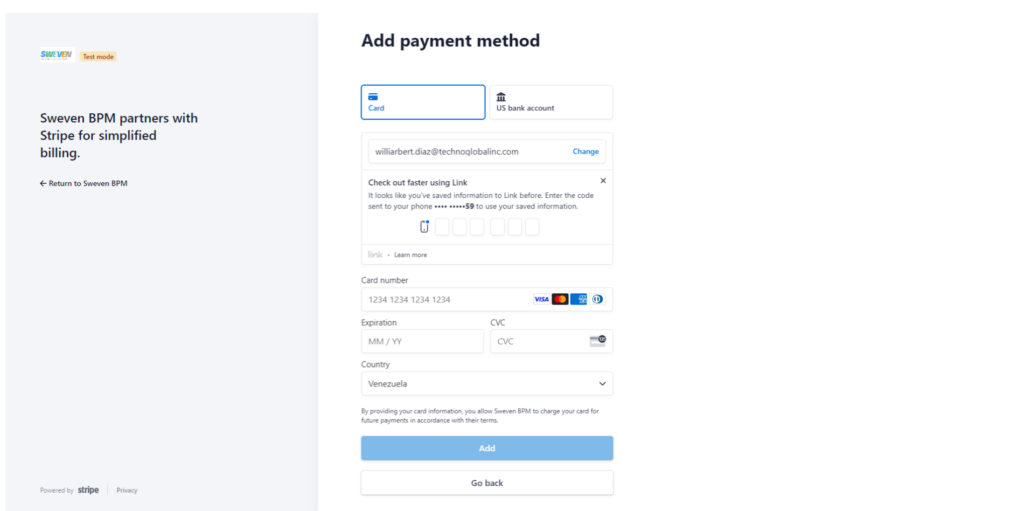
Add your payment method details to complete the process.
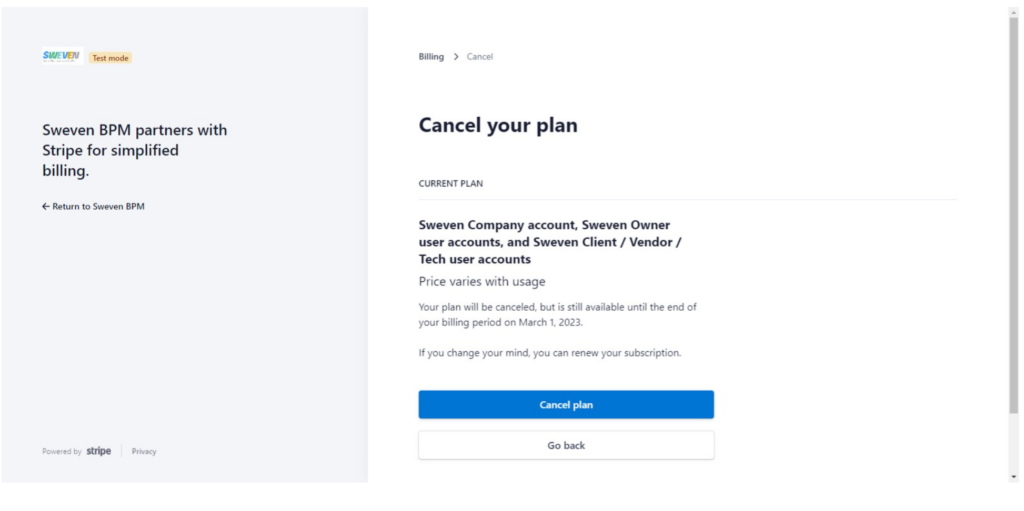
To cancel your plan, simply click on the «Cancel Plan» Button
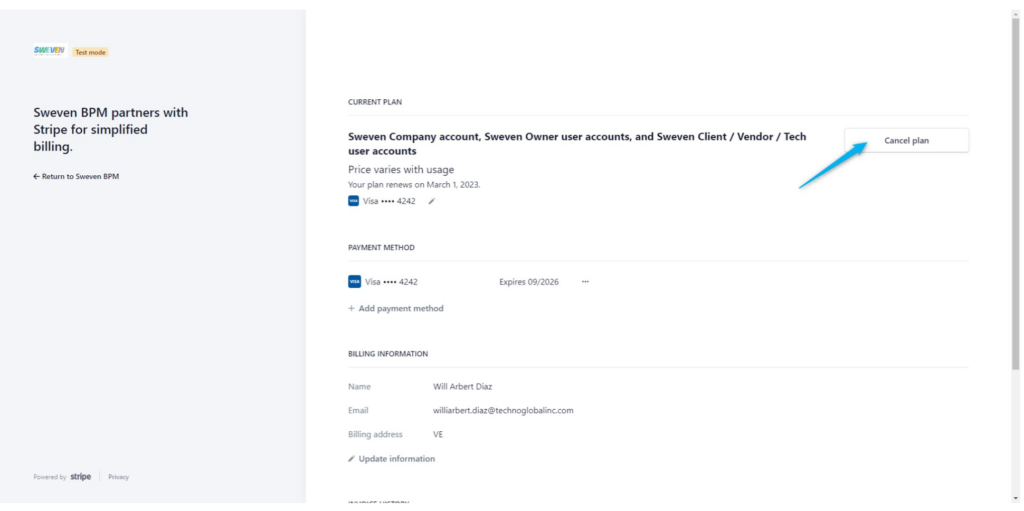
To change your payment method, Click on «Add Payment Method» and once you have added the new payment method’s details, Click «Add», then select the three dots next to your new payment method, and finally select «Make default»